SmartKhata on your Windows PC or Mac.
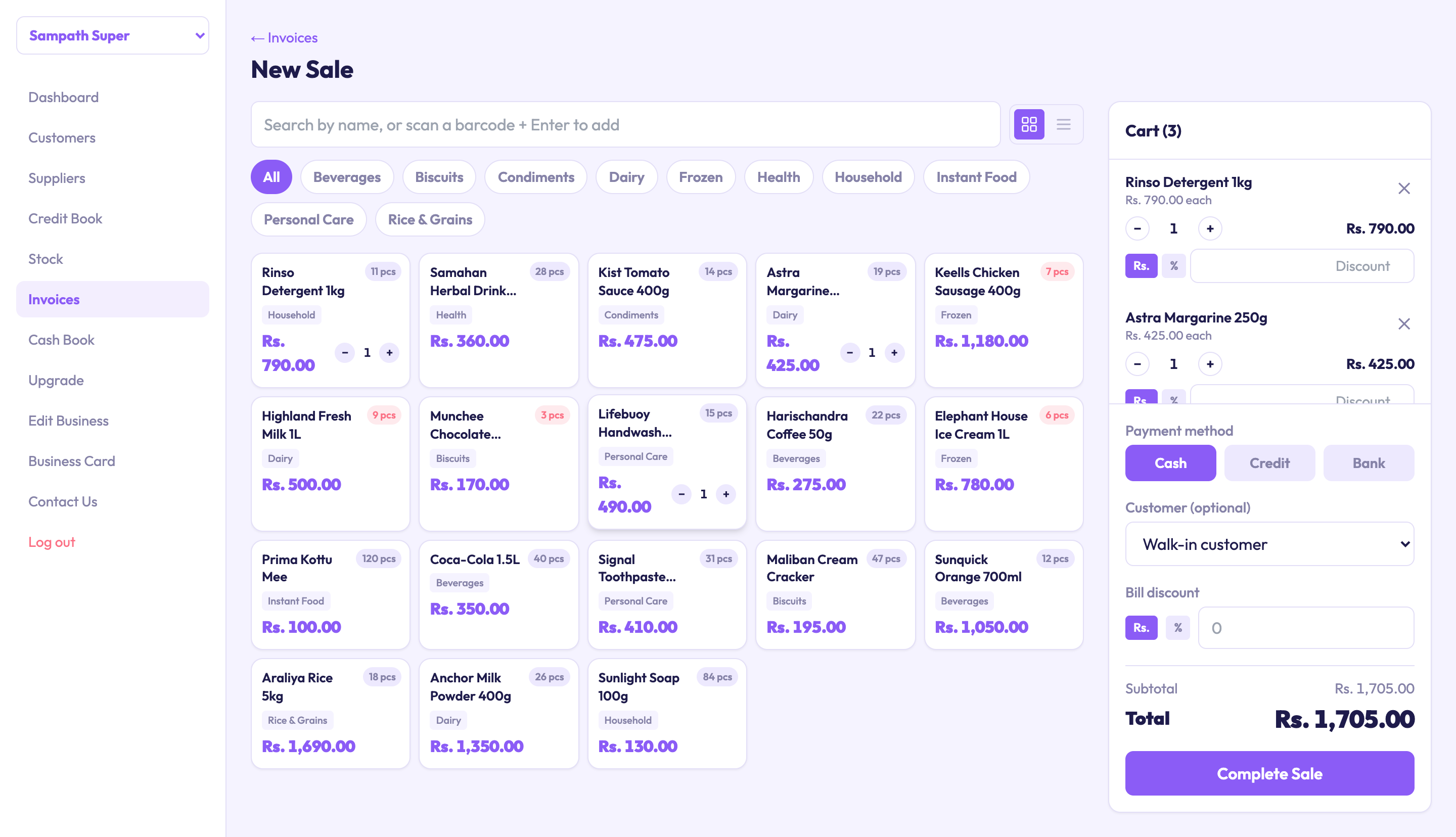
The full counter on a bigger screen, with a receipt printer on the desk — and it keeps working when the internet drops.
A free download for Windows and Mac. Sign in with the account you already use. Billing, the credit khata, the cash book and stock keep working with no internet and sync on their own when the connection is back.
Download SmartKhata.
Free to install. Sign in with the email you already use and your business is there — same 30-day trial, same plans.
Built for a counter where the internet is not guaranteed.
The web app is the same account. The desktop app adds the part a browser cannot: it keeps working, and keeps your data, when the connection drops.
Keeps working offline
Bill a customer, record a credit sale or a payment, and adjust stock with no connection. Each change is saved on the computer first, so a dead router never stops the counter.
Syncs on its own
The moment the computer is online again, everything waiting is sent up and anything changed on your phone comes down. There is also a Sync button if you want to do it yourself.
Same account, same books
Sign in with your email. The business on your phone and on the web is already there, and a sale made on any device shows on all of them after a sync.
Made for the receipt printer
Print thermal receipts and A4 invoices straight from the desktop app, with the same printer settings as the web portal.
What keeps working with no internet.
The counter essentials are stored on the computer and sync later. Anything that needs the server's own figures waits for a connection.
Works offline, syncs later
- Billing and invoices
- Customers, suppliers and the credit khata
- Cash book
- Stock list and adjustments
Needs an internet connection
- Reports and the dashboard
- Quotations
- Team, roles and approvals
- Business settings, plans and payments
Two minutes from download to first sale.
On Windows
- Download SmartKhata-Setup.exe and open it. If the browser says the file isn’t commonly downloaded, choose Keep.
- If Windows says “Windows protected your PC”, choose More info, then Run anyway.
- Follow the installer, then open SmartKhata from the Start menu and sign in.
On a Mac
- Download the .dmg and open it.
- Drag SmartKhata into the Applications folder.
- Open SmartKhata. The first time, macOS says “Apple could not verify” it: click Done (not Move to Bin), go to System Settings → Privacy & Security, scroll down, click Open Anyway and confirm (on macOS 12: System Preferences → Security & Privacy). It opens normally after that.
Before you install.
Do I need the desktop app, or is the website enough?
The website is enough when your connection is steady. The desktop app is for counters where it is not: it keeps billing through an outage and syncs afterwards.
What happens to a sale I make offline?
It is saved on the computer straight away and shown with a provisional invoice number. When the computer is back online it syncs, the server assigns the official number, and the sale appears on your phone and the web.
Can two computers use the same business offline?
Yes. Each syncs when it is online and the changes are merged. If two devices change the same record while both are offline, the later change is kept.
Is it free?
The download is free and uses your existing account. The same trial and the same plans apply as on the web and the phone.
What happens when my trial or plan ends?
Like the web portal, the desktop app is for accounts on a trial or a paid plan. When yours ends — even while the computer is offline — the app asks you to upgrade, and your data stays safe. You can upgrade right inside the app, by card or bank transfer.
No computer handy? Start on the web.
Your books come with you. 30 days free, no card.